Skip to content

AI IMAGE & VIDEO FOR CAMPAIGNS

One product.A full campaign.

Turn one product photo into campaign images, AI UGC-style ads, and cinematic video in one workspace.

One reference photo. Three finished outputs.AURELO · A FICTIONAL BRAND · AI-GENERATED
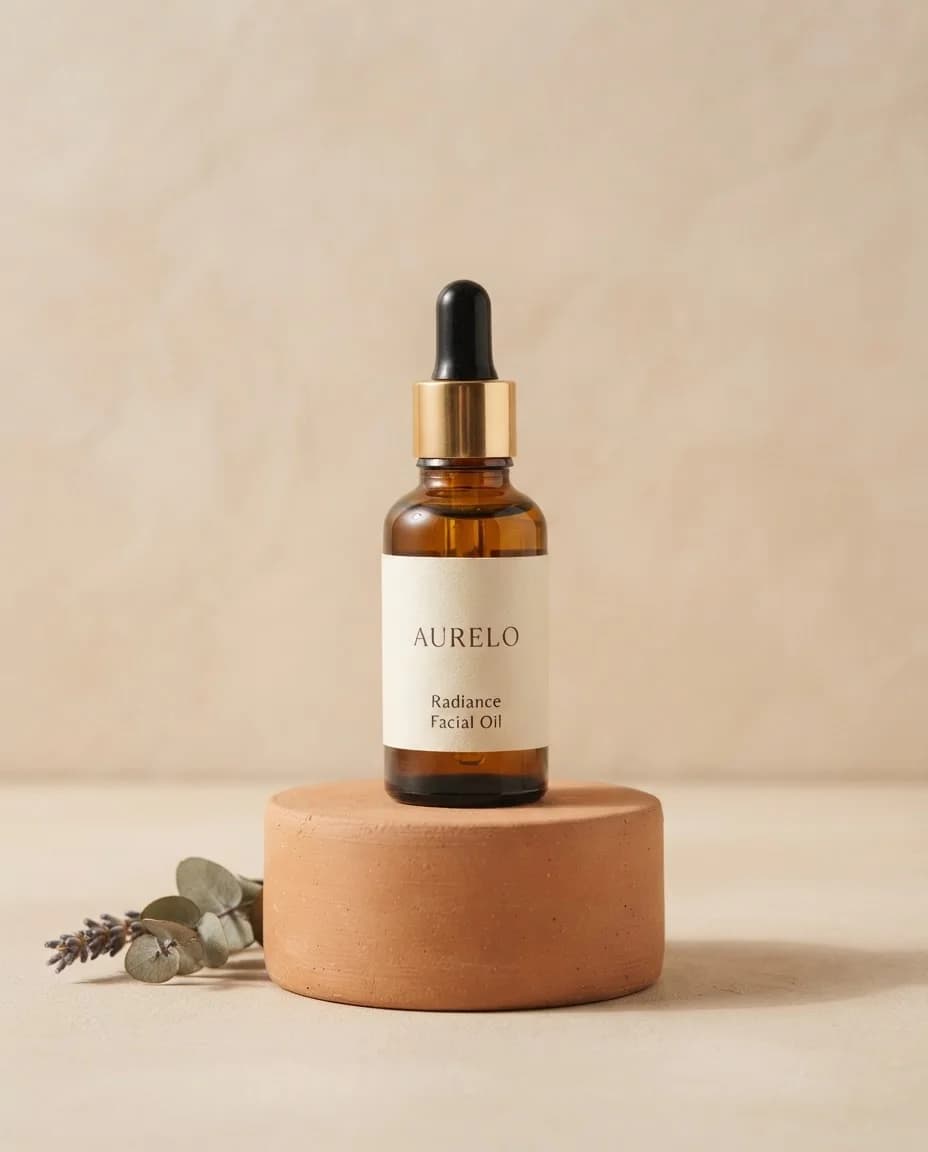
INPUTPRODUCT REFERENCE
AURELO fictional facial-oil product reference
START WITH WHAT YOU HAVEOne product photo,
one prompt.
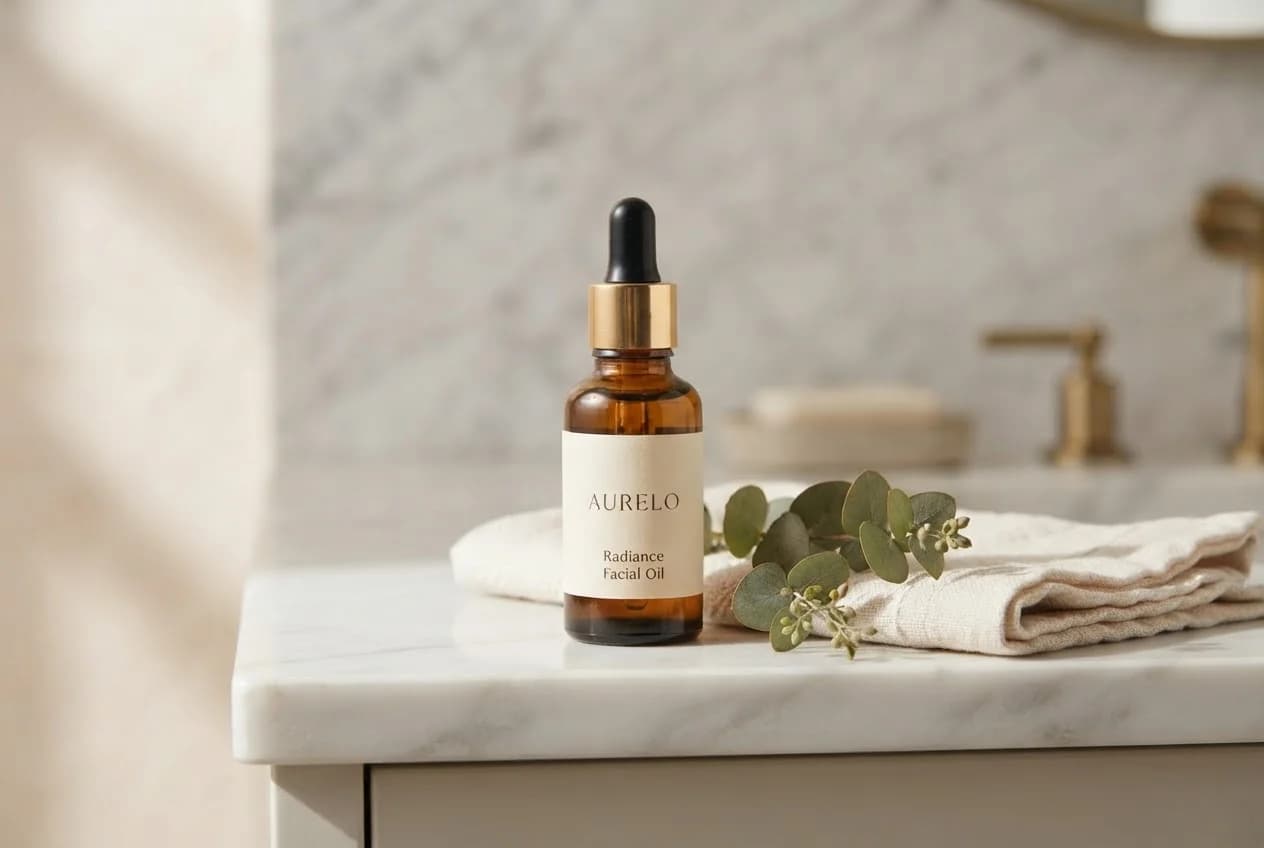
AURELO bottle on a marble bathroom shelf in morning light
OUTPUT 01 · Campaign still

A campaign still from one photo.

The same bottle, placed on a marble shelf with linen and eucalyptus.

3:2 / image
FROM FIRST FRAME
TO FINAL CUT
Generate imagesAnimate them into videoEdit & upscaleOne balance for all of it

01 Product campaigns

Product photo in.
Campaign image out.

Keep the product. Change the setting, light, surface, and atmosphere with a prompt.

1 source imageA new campaign direction
Prompt & settings

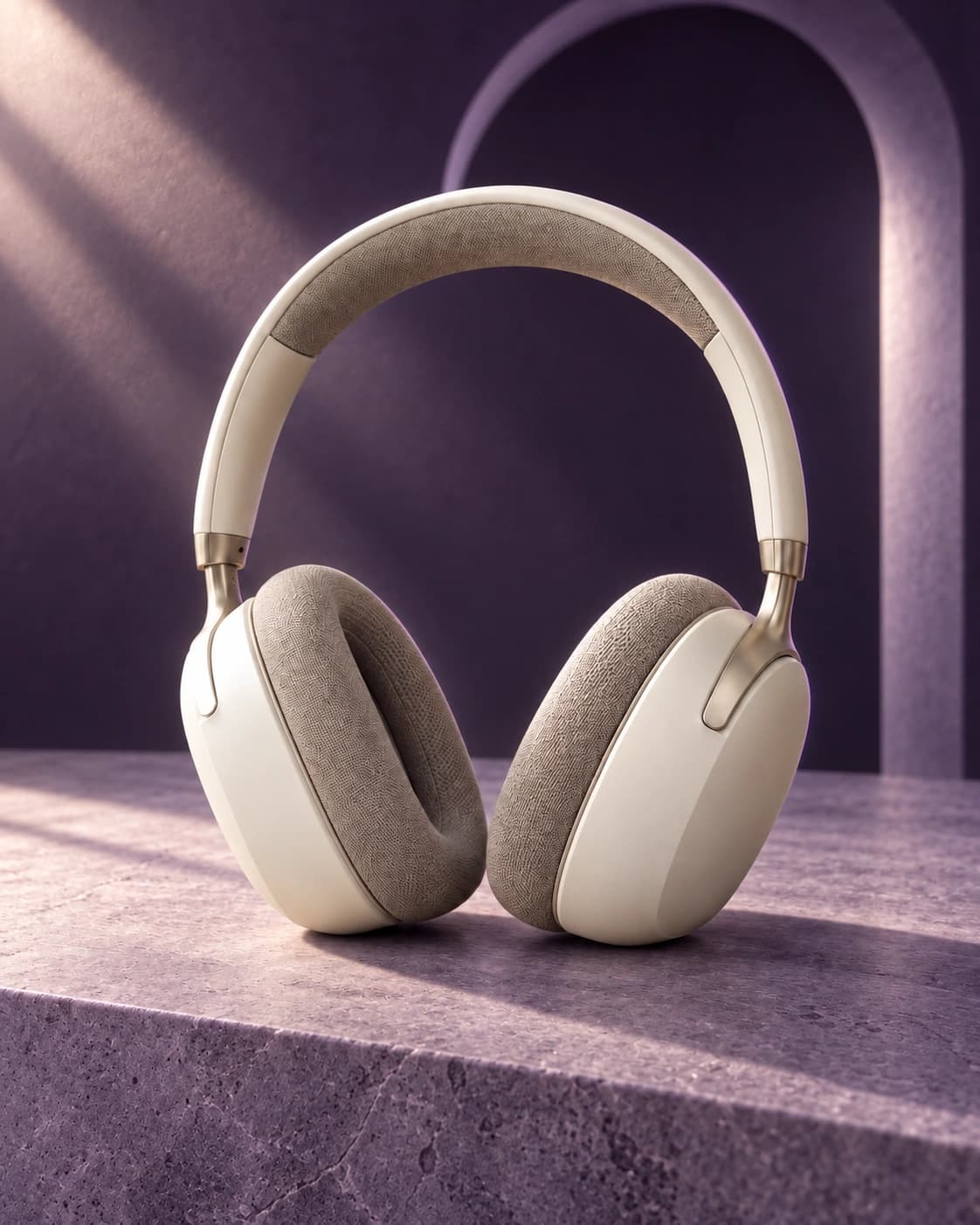
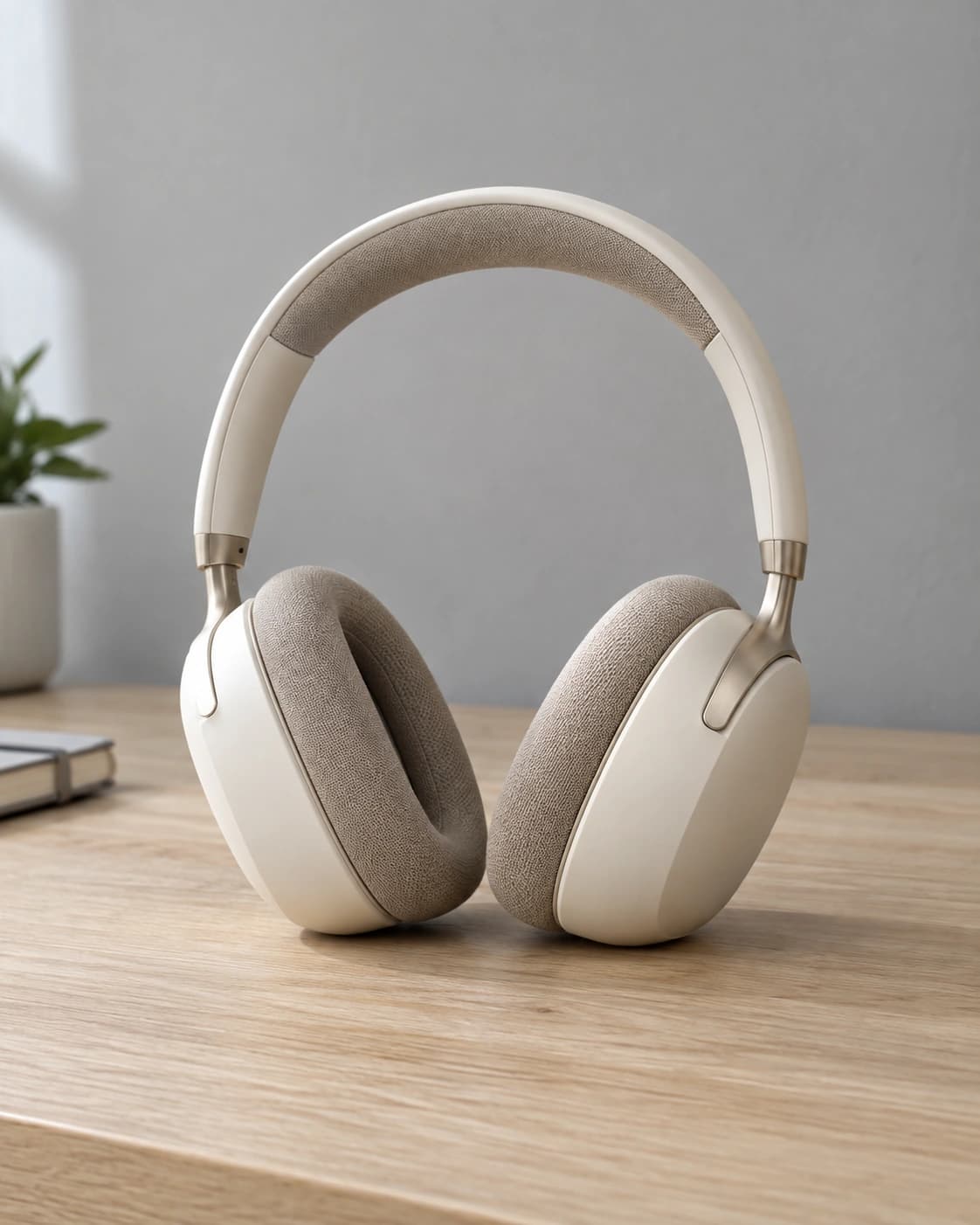
Use case: precise-object-edit Asset type: after image for a product-campaign before/after slider. Edit the provided source photograph into a premium art-directed headphones campaign. Keep the exact same ivory and taupe over-ear headphones absolutely unchanged in shape, design, orientation, position, size and silhouette. Preserve every headband contour, ear cushion, seam and metal hinge; preserve the camera angle and the original 4:5 framing. This will be overlaid on the source image with a draggable divider, so the product must line up precisely, especially the headband and ear cups. Do not recompose, crop, enlarge or move the headphones. Change only the setting, surfaces and lighting: replace the oak desk with the flat top of a broad low monolithic lavender stone plinth at the identical contact plane. Replace the gray office wall, plant and notebook with a luxurious deep midnight-violet studio background. One softly lit sculptural lavender arch behind the product at a distance, subtle atmospheric depth. A crisp diagonal shaft of pale warm light comes from upper left, a fine violet rim light separates the ivory silhouette, and realistic directional shadows fall onto the stone surface. Keep product color warm ivory and fabric taupe. Rich premium consumer-audio advertising photograph, micro-detailed textile, tactile matte stone, restrained violet palette, clear contrast between pale product and dark environment. Sharp and polished, no excessive neon, no smoke covering product, no extra objects in front of headphones. No text, logos, slogans, watermarks, borders, UI or collage. Deliver a single portrait image with the exact input aspect ratio.

Model used
OpenAI imagegen
Format
4:5
Input
1 reference image
Current cost
Estimate in studio
Try this
The same ivory headphones on lavender stone with a violet arch and dramatic studio lighting
Ivory over-ear headphones with taupe cushions on a pale oak desk in natural window light
Source imageCampaign result

AI-generated source and result. Review product and label details before use.

02 Image to video

Turn one frame
into a short film.

Choose a source image, describe the camera and subject movement, then generate the clip.

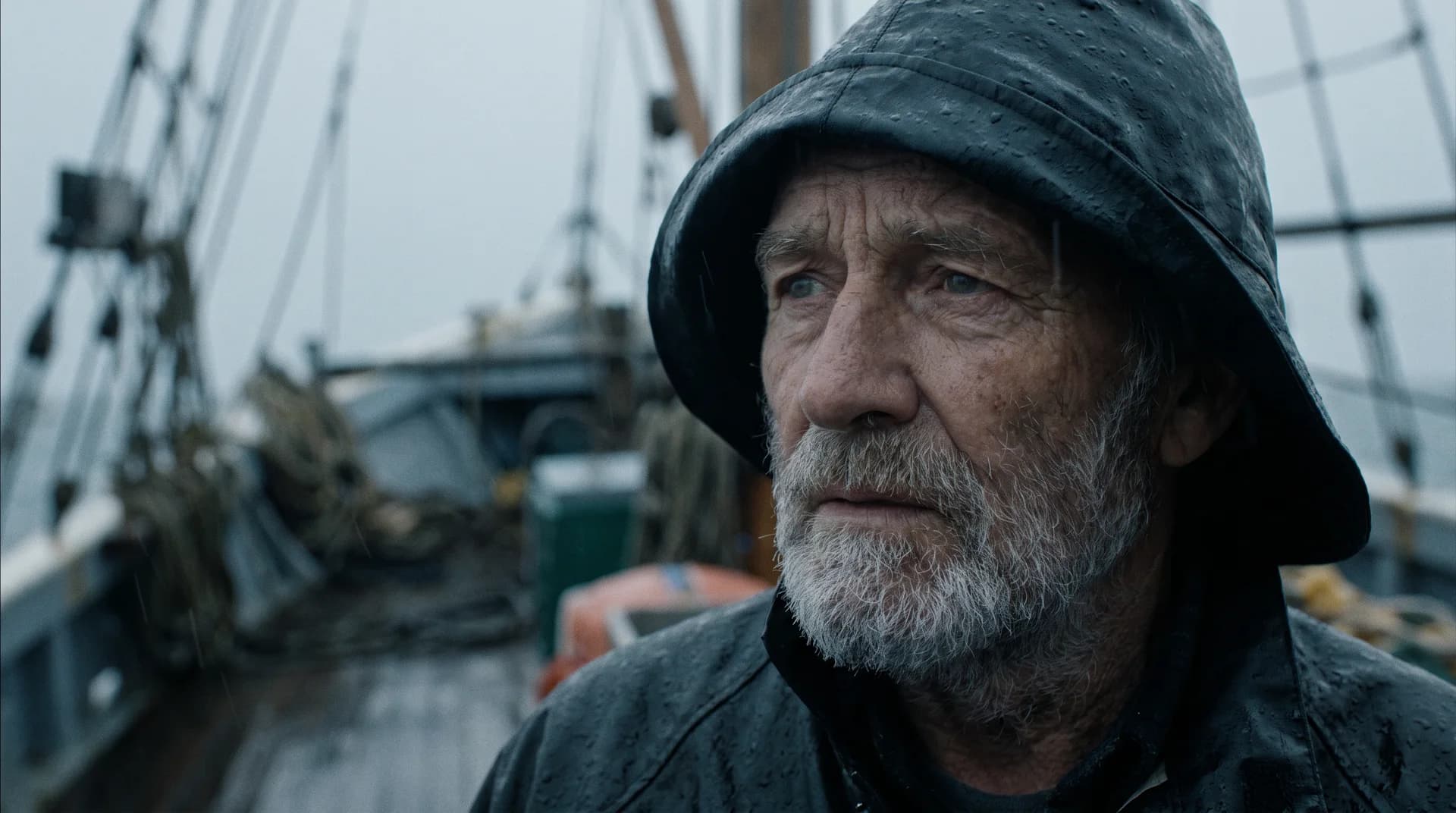
Cinematic portrait of a weathered fisherman in the rainSource frame

Give a still a story.

Kling 2.5 · 16:9 · 720p

Silent preview · Estimate in studio

Prompt & settings

The fisherman blinks slowly and shifts his gaze toward the camera as fine rain drifts across the frame, his hood and beard trembling subtly in the wind, mist rolling over the deck behind him, very slow cinematic push-in, film motion.

Model used
Kling 2.5
Format
16:9 · 720p
Input
1 reference image
Current cost
Estimate in studio
Duration
5 seconds
Try this
Generated video · 5s
A slow push-in. Rain, wind, and a shifting gaze.
Generated video · 3s
Post-workout proof · AI UGC-style ad · Silent example
Made for the feed.9:16 vertical
3-second motion

03 AI UGC-style ads

Creator-style ads,
built around your product.

Set the person, product, and scene in an image. Then direct the performance for a short vertical video.

  1. 01

    Start with your product

    Upload a reference or describe the product in your prompt.

  2. 02

    Describe the person and setting

    A gym bench. A kitchen. The look and feeling of your ad.

  3. 03

    Direct the performance

    Add an action prompt, choose your format, and generate video.

Prompt & settings

Authentic post-workout testimonial video: he catches his breath, smiles at the phone, lifts the recovery pouch toward the lens and points to it once, then gives a confident nod. Natural gym activity continues softly behind him, realistic handheld creator footage.

Model used
Kling 3.0
Format
9:16 · 720p
Input
1 reference image
Current cost
Estimate in studio
Duration
3 seconds
Try this

The person and product in this example are AI-generated.

SIMPLE, ONE-TIME CREDIT PACKS

Your ideas don’t need
another subscription.

Buy one balance for images, video, editing, and upscaling. Choose what you need today and keep the rest for the next brief.

YOUR ESTIMATED MIX

Slide to match your mix. Each pack below updates to show roughly what it buys, using the lowest current model costs.

Mostly video70% imagesMostly images
CREDIT PACK

Starter

For exploring ideas and producing a small set of finished assets.

$12 one time

1,200 credits

YOUR ESTIMATED MIX420 images + 3 videos

Up to 600 images or 10 videos using the lowest current costs.

CREDIT PACK

Studio

+52% value

For full campaigns, client work and higher-volume production.

$79 one time

12,000 credits

YOUR ESTIMATED MIX4,200 images + 30 videos

Up to 6,000 images or 100 videos using the lowest current costs.

Output counts are estimates. Model, settings, duration, and output count affect usage. Final currency and any taxes are shown at checkout.

One-time purchaseCost shown before generationCredits do not expireFailed generations are refunded

BEFORE YOUR FIRST GENERATION

Questions people ask
before they start.

Straight answers on models, uploads, credits and formats.

What can I create with Chitra?

Images and short videos from prompts and reference images. The studio also includes background removal and upscaling, so you can keep working on a result in one place.

Which model should I choose?

Start from an example you like and select Try this to open it in the studio with the same prompt, model and settings. Or browse the model library to compare image and video models, supported settings and credit cost.

Can I upload my own product photos?

Yes. Open the studio, choose a model that accepts image references, and upload a JPG, PNG or WebP. Add a prompt describing what you want to change or keep.

How do credits work?

Credit packs are one-time purchases. One balance covers image generation, video generation, background removal and upscaling. The credit estimate is shown before every generation.

What happens if a generation fails?

When a generation is marked as failed, the credits it charged are returned to your balance automatically. Adjust the prompt or model and try again.

Which video formats and lengths are available?

Aspect ratios, durations, resolutions and audio options depend on the model. Select a video model in the studio to see what it supports. The examples on this page include short vertical ads and five-second product and cinematic clips.

START WITH WHAT YOU HAVE

Bring a photo.
Leave with a campaign.

A prompt, a product photo, or a reference image is enough to start. Cost is shown before every generation.

Start creating Images, video, editing and upscaling on one balance.